Record your screen, your face, and your phone.
Edit them like a pro. Keep it all local.
The local-first studio for product demos, tech reels, and shorts. One click captures screen, webcam, and phone in sync. Nothing ever touches a cloud.
Built for product demos, tutorials, and tech reels.
First-launch tips (app is open source, signed ad-hoc):
Mac — if macOS says the app is damaged, open Terminal and run:
xattr -rd com.apple.quarantine /Applications/Threelane.app
Windows — if SmartScreen blocks the installer, click More info then Run anyway.
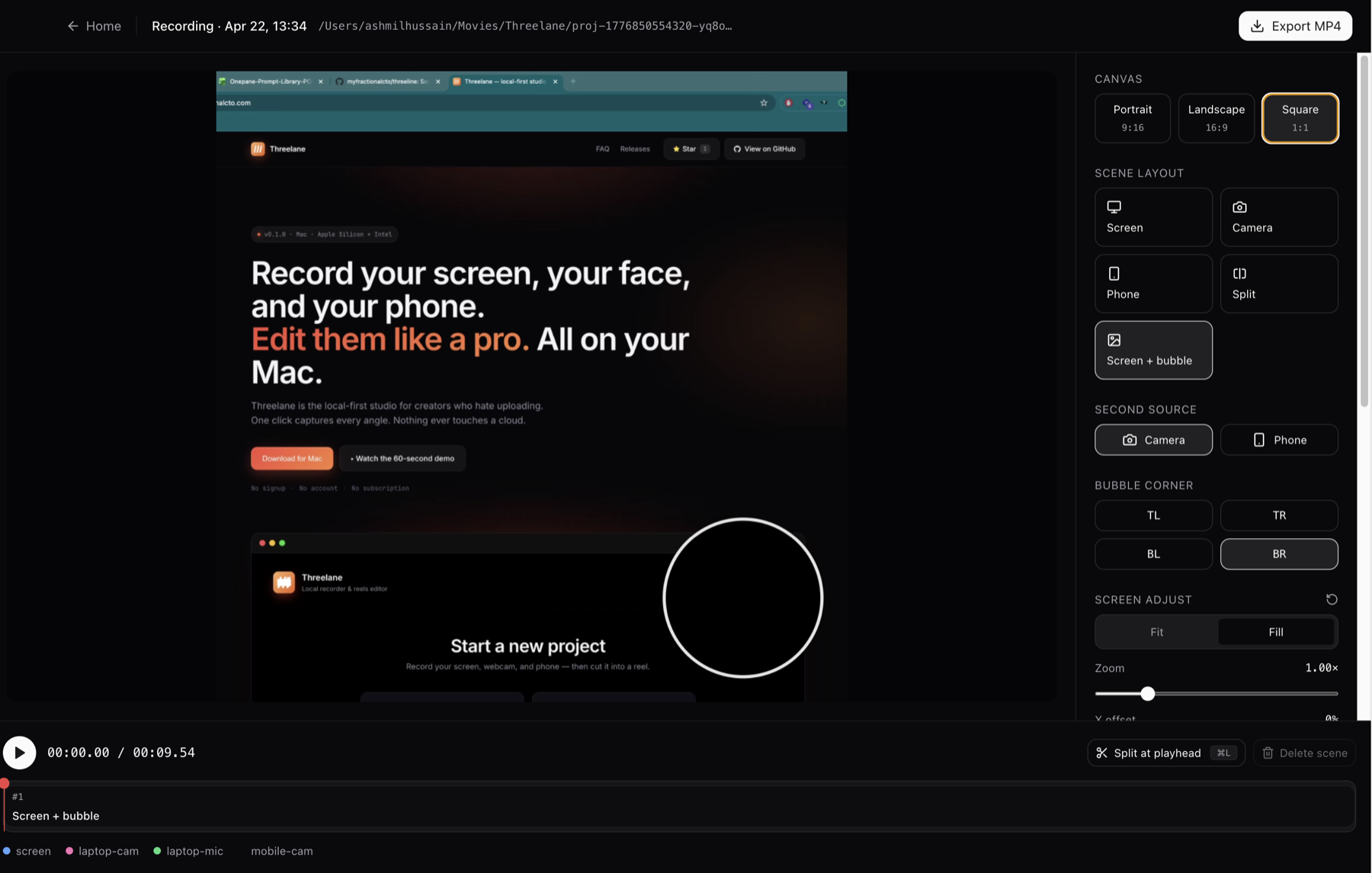
Record → Edit → Export.
Three steps. No tabs. No uploads.
Record
One click captures your screen, laptop webcam, mic, and your phone camera as a second angle.
- Scan a QR code to pair your phone
- No cables, no App Store, no accounts
- Phone clip auto-uploads over WiFi when you stop
Edit
Split the recording into scenes. Pick a layout per scene. Zoom and pan without re-recording.
- Layouts: screen-only, camera-only, split, phone-only, screen + camera bubble
- Cursor-follow auto-pan for zoomed screens
- Per-scene audio source (mic / camera / phone)
Export
MP4 in portrait, landscape, or square. Smart defaults for Reels, Shorts, TikTok, and YouTube.
- 1080×1920 · 1920×1080 · 1080×1080
- ffmpeg under the hood. No re-encode pain
- Projects saved as plain folders you can inspect or delete
Who it's for
If you ship short-form video and don't want your face and voice sitting on someone else's server, this is for you.
Indie hackers recording launch videos
Devtool founders shipping product demos
Dev-rel engineers making tutorials and conference prep
Engineers posting tech reels to X, YouTube Shorts, Reels
From capture to export, all in one app.
Phone-synced capture. Multi-track editor. Per-scene layouts. Any aspect ratio. See every piece.
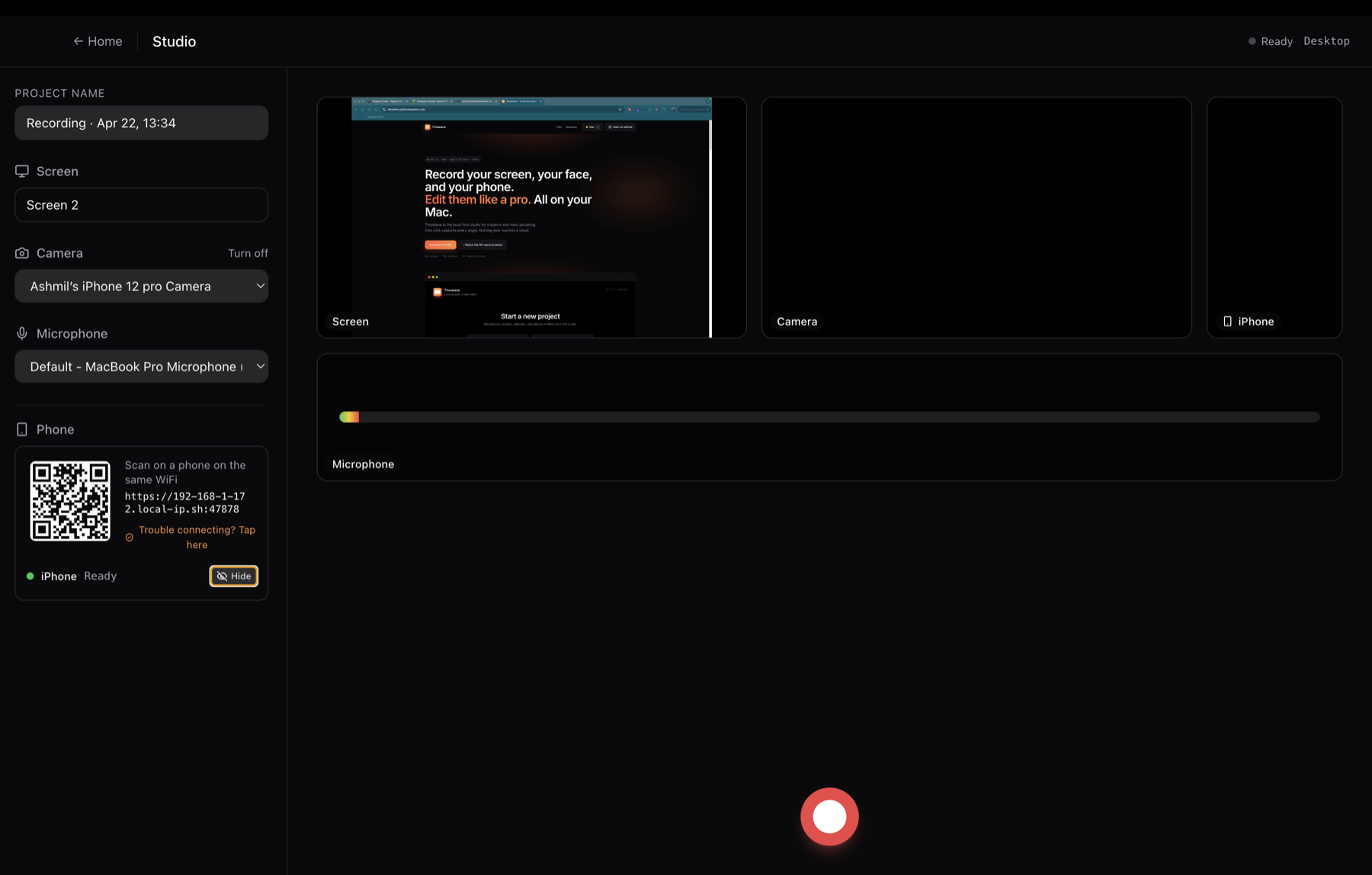
Your phone is the second camera, in sync
Scan a QR code, tap record. Your phone captures a second angle over Wi-Fi, timestamps locked to the same timeline as your screen and webcam.
Multi-track editor
Three tracks, one timeline. Split scenes, pick layouts per scene, trim the boring bits. Preview everything live.
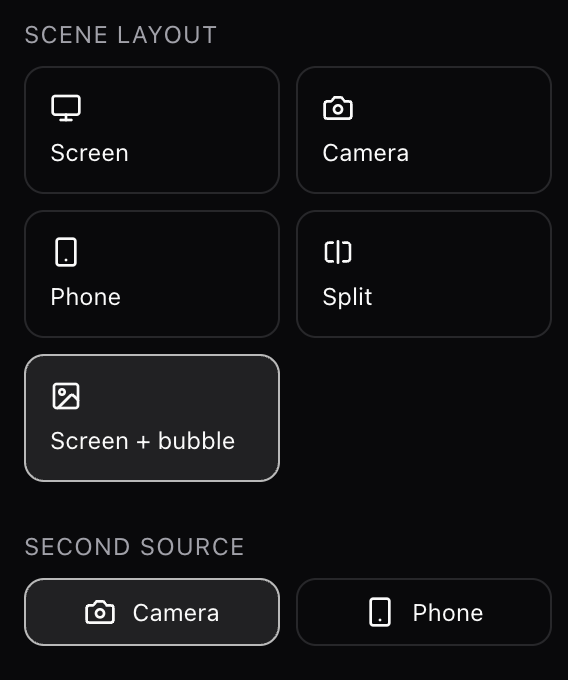
Per-scene layouts
Screen. Camera. Phone. Split. Screen + camera bubble. Change any time. No re-recording.
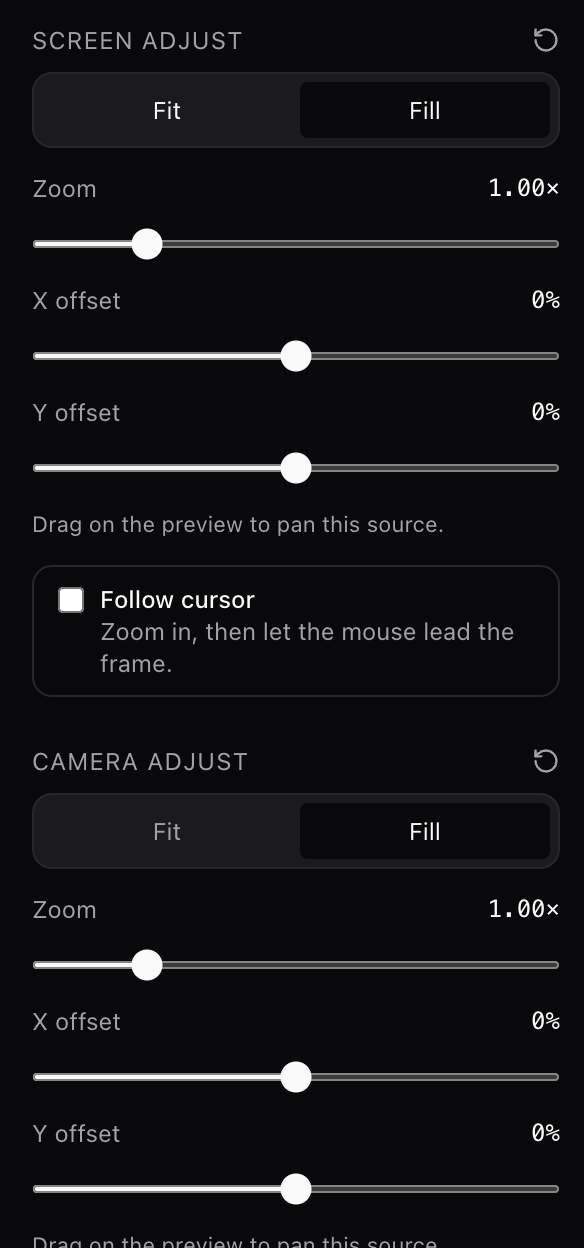
Zoom & cursor follow
Zoom into the screen and the frame smoothly tracks your mouse. Polished tutorials, automated.
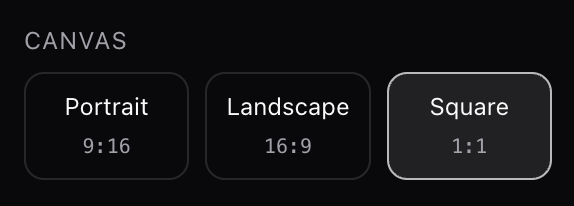
Any aspect ratio
Portrait for Reels. Landscape for YouTube. Square for LinkedIn. One project, three exports. No re-shooting.
Desktop-grade, not browser-grade.
Native Mac app. Recordings don't stutter. Long sessions don't crash a tab.
Screen + webcam + mic + phone, all at once
Everything captured as separate tracks. Mix and re-layout after the fact.
Phone as second camera
Scan a QR code with iOS or Android. Records in sync, uploads over WiFi. No cables. No App Store.
Per-scene layouts
Screen-only. Camera-only. Phone-only. Split. Screen + camera bubble. Swap any time.
Portrait / landscape / square
Pick an orientation per project. Screens get smart cover framing, not letterboxes.
Cursor-follow zoom
Zoom in and the frame smoothly tracks your mouse. The polished-tutorial effect, automated.
Non-destructive scenes
Split, delete, rearrange. Change layouts. The raw tracks stay untouched.
Per-scene audio source
Mic for talking head, phone for ambient, camera for walk-and-talk. Your call.
MP4 export with ffmpeg
Industry-standard encoder. Clean output. No "processing…" spinner eating your afternoon.
Projects are just folders
Inspect them in Finder. Move them to another Mac. Delete them. Done.
Your recordings never leave your Mac.
Private by default
No uploads. No accounts. No telemetry. Your face, your screen, your data. Yours.
No subscription
Pay nothing. Nothing expires. No "Pro" tier gating the export button.
No upload wait
Finish recording. Edit. Export. Post. All at SSD speed, not Wi-Fi speed.
Works on a plane
No network dependency. Record, edit, and export at 35,000 feet.
One tool. Every format.
Reels today, a YouTube tutorial tomorrow, a square clip for LinkedIn next week.
Portrait
Reels, Shorts, TikTok. Screen sits in a cover frame with your face in a bubble. No dead bars.
Landscape
Long-form YouTube. Screen + camera side-by-side. Cursor-follow zoom for the code-walkthroughs.
Square
LinkedIn, Instagram feed, podcast clips. Balanced framing that works everywhere.
Short answers.
Is it free?
Yes. No paywall, no trial, no credit card.
Does it work on Intel Macs?
Yes. Apple Silicon is the primary target, but Intel is supported.
Windows? Linux?
Windows: yes, shipping as of v0.2. Linux: not yet.
How is it different from Loom or Riverside?
Local-first. Multi-cam. Your phone as a second camera. Nothing ever uploaded, nothing gated behind a login.
Do I need to install anything on my phone?
No. Scan a QR code, open the PWA in your phone's browser, and hit record. Works on iOS and Android.
Where are my recordings stored?
~/Movies/Threelane/. Each project is a plain folder. Inspect it, move it, delete it.
Is this trying to replace Premiere?
No. It's the 90% case for creators who make one video a week and want it to look great in ten minutes.
Built with tools that respect your machine.
Three lanes. One click. Zero cloud.
Download Threelane and record your next video in ten minutes, end to end.